
 By
By 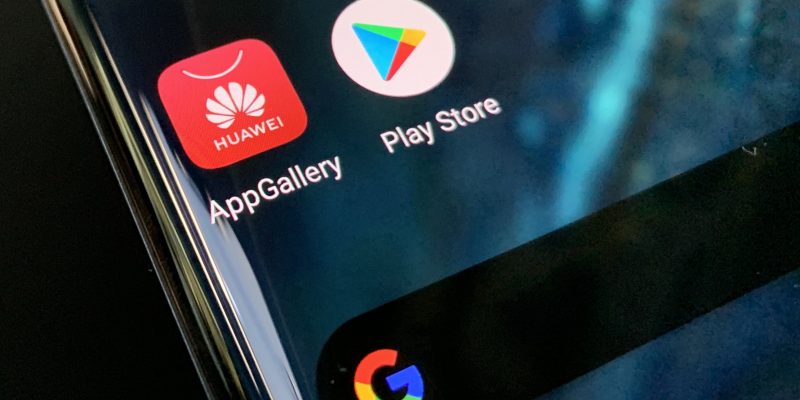
Despite the current rise in sales, it is clear that Huawei is losing the touch that it initially had with the global market. This is mostly due to its new smartphones that have been launching without Google services. And while we may be quick to slam the Chinese company, it is quite evident that they wish the situation was different.
The war between Huawei and the U.S government still goes on over a year later as President Trump extended the ban early last month. So, Google is still prohibited from conducting any business with the tech company. Yes, the smartphones do feature Android 10 as the base software but you will not be able to have any pre-installed Google apps. The lack of Google Play Store makes the circumstances even worse. Believe me, I’ve experienced it.
Luckily, there have been a couple of tech experts that have been trying to find loopholes that people can use to have Google services on their smartphones. Many have proven to be temporary but one might just be a promising solution.
Start off your week with tech news recap and trending conversations in your inbox

Tech YouTuber Max Weinbach put together some software to try and install Google apps and the Play Store from his computer to his Huawei P40 Pro handset that proved to work. Here are the steps you need to follow.
What you need:
- Your PC
- Your Huawei Smartphone
- USB cable
On Your PC:
- Download and install HI-Suite app from this link.
- Download the Techmagnet P40 Pro Hack package from either of these links: https://bit.ly/3bsvIzA or https://bit.ly/2XQsfa1.
- Unzip the Hack Package.
- Copy the Backup Folder (Huawei P40 Pro_2020…) to C:\Users\USER\Documents\HiSuite\backup.
- Start HI-Suite.
- Enable USB File Transfer on your phone from Dropdown.
- Wait for HI-Suite to detect your phone.
- Go to Settings on your phone, search for HDB and Allow HDB Access for HI-Suite.
- Enter the code for authorisation from your phone in the HI-Suite Software.
- Let HI-Suite install the HI-Suite app for your phone.
- Press Restore on HI-Suite on PC.
- Choose my Backup File (3 Apps).
- Press Restore.
- Enter Password techmagnetyoutub3.
- Copy the 9 files from the APK Folder from the zip to the internal storage of your phone.
On Your Phone:
First, ensure that your phone is connected to the internet.
- Open the LZPLAY App (Purple G icon). Allow Admin and press the blue bar to start the download. Now close the app by swiping up.
- Go to File Manager.
- Install APK 1 to 6.
- Go to Settings on the phone, then Users & Accounts.
- Choose the new account and add a new one.
- Log in.
- Go to File Manager. Install APK 7.
- Check to see if Google Play Store is alive.
- Tap Settings then Apps. Search for Google Play Services and uninstall it.
- Go to File Manager. Install APK 8.
- Go to Settings and Apps. Enable “show system apps” (3 dots) and search for Google Services Framework.
- Clear Cache, Clear Data and Uninstall.
- Go to File Manager. Install APK 7.
- Check whether Play Store is alive.
- Go to Settings and Apps. Search for Google Play Services and uninstall.
- Go to File Manager. Install APK 9.
Disclaimer: Your smartphone might freeze as you uninstall. What you should do is reboot the phone immediately. Try again to stop the service and then uninstall again. You should also make sure to follow the steps exactly.


以前から理想的なランジェリーやインナーを探し続けていましたが、こちらのショップでまさに求めていた商品に出会うことができ、心より満足しております。デザインのセンスが非常に優れており、体のラインを美しく魅せてくれる繊細なシルエットが最大の魅力だと強く感じます。
多彩なデザインが数多く取り揃えられており、シーンや気分に合わせて自由に選べる楽しさがあり、毎日のコーディネートがさらに楽しくなります。素材の肌触りがすごく良く、長時間着用しても肌にストレスを与えず、柔らかく優しい着け心地が大変好印象です。
クオリティがどの商品も安定しており、どのアイテムを選んでも高い満足度を得られる水準にあります。珍しいデザインが豊富に揃っており、他の人と被らないオリジナリティのあるアイテムを見つけられる点が非常に魅力的です。
細部のディテールまで徹底的にこだわって作られており、レースの質感、ステッチの美しさ、フィット感の絶妙さなど、クリエイターの努力と配慮が隅々まで伝わってきます。着用時のシルエットはもちろん、実用性とデザイン性のバランスが完璧で、長く愛用できる商品ばかりです。
長期的に是非利用させていただきたいと心から思います。新作の追加や入荷情報も楽しみので、これからもずっと注目し続けたいと思える、本当に素晴らしいショップだと強く推奨いたします。
Feel free to surf to my web page: 下着 エッチ