
 By
By 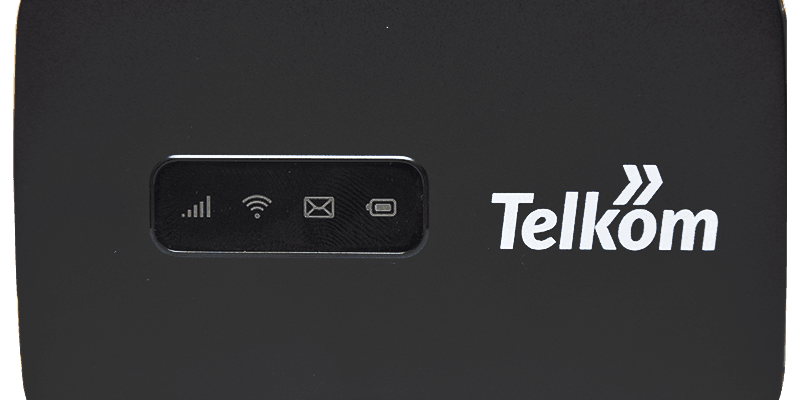
Internet access is proving to be more of a necessity than a luxury and thanks to Telkom 4G MiFi, you can have affordable internet whether at your workplace, home or simply on the go. MiFi devices have been a trend among telecommunication companies in a bid to give Kenyans easily accessible internet that one can easily share with others as well.
The router from Telkom may very well be one of the most affordable MiFi devices but with the quality still up for question in comparison to its competitors. Starting at Kes.5000, the device was fortunately reduced to Kes.4,000 which is positive.
With the router, one is able to connect up to 15 devices simultaneously. This especially offers convenience considering some from different brands connecting to just 8 devices at maximum. The device also comes with fair speeds of up to 150Mbps on 4G LTE for downloads and up to 50Mbps on the same bandwidth for uploads.
Start off your week with tech news recap and trending conversations in your inbox

So, here’s how to set up the device for connection and log in for bundle purchase:
- Note down the default WiFi key that can be found at the back of the device underneath the battery.
- Hold the power button to turn the router on. This is notified by the battery and network lights.
-
Using the WiFi key, connect to the router’s network and browse to 192.168.1.1 on your preferred browser on your PC to access the dashboard. The dashboard lets you access the network settings, usage stats, check notifications, block certain devices from accessing your network and update the device’s firmware among other settings. We would, however, recommend setting up the app, as it makes things easier while you’re on the move.
- Logging onto the dashboard will then prompt you to change your admin password, WiFi key and SSID to any of your choice.
Setting A Data Plan And Buying Bundles
On the dashboard, simply go to the Statistics tab, click on Edit, set the start date, data plan and threshold at which you want to be notified that your bundle is about to run out. Alternatively, on the app, you can simply tap on the data counter on the home screen and then settings icon on the top right then set your plan.
To purchase the bundles, you can just log in to the Telkom portal or the Telkom shop by inserting a SIM card into a phone and dialling *544#.




Hi there! This article could not be written any better!
Reading through this post reminds me of my previous roommate!
He continually kept talking about this. I’ll forward this information to
him. Fairly certain he’s going to have a very good read.
Thanks for sharing! http://Www.Dunklesauge.de/topsite/index.php?a=stats&u=chupatel820091
Bybit is among the leading crypto exchanges since it uses several means to acquire crypto and flaunts numerous advanced functions, consisting of trading robots
and high-leverage futures trading. Therefore, it perfect fits experienced people looking
for first-class trading capacities and reliable, specific
niche tools, like crypto choices.
Take a look at my blog: Go